

The client operates a large IT environment with multiple endpoints, servers, and user devices. This IT environment is spread across departments. Their structure depended on Microsoft System Center Configuration Manager 2012 to manage deployments and endpoint configurations. The traditional system began to show its deficiencies. Downtime became a concern and handling new devices required a great manual effort. The IT team needed a more stable solution to maintain operations without interruption.
Several operational issues were affecting IT performance.
An additional complication was that some endpoint devices were still running 32 bit Windows 7 with 32 bit Office applications. This outdated architecture limited performance and compatibility with modern tools. The client wanted to modernize without disturbing daily operations.
The organization aimed to:
The objective was to strengthen IT control while ensuring uninterrupted service delivery.
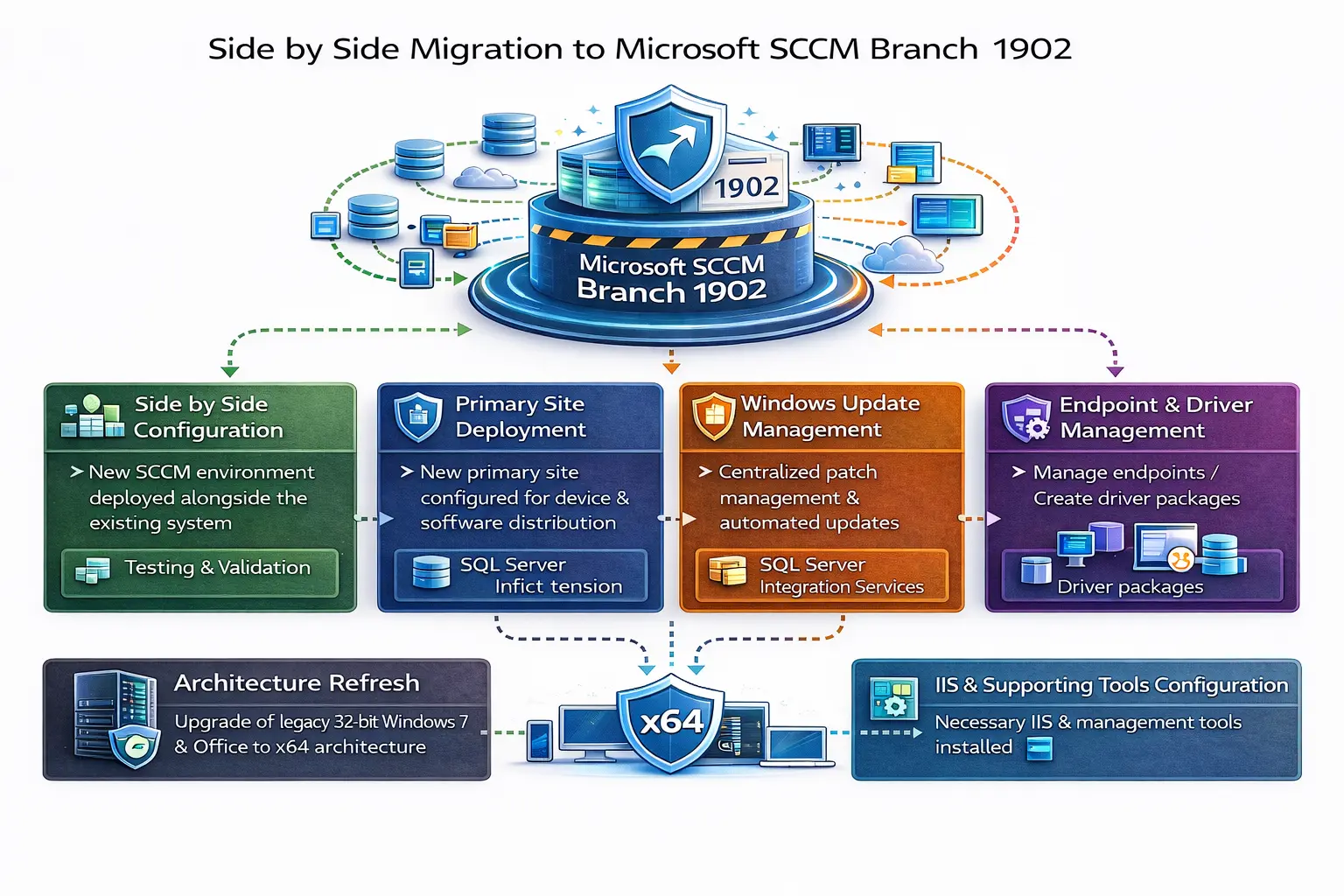
Acme One implemented a side by side migration to Microsoft SCCM Branch 1902.
To prevent downtime, the new SCCM environment was deployed alongside the existing system. This approach allowed testing and validation before full transition.
A new primary site was configured to manage devices and software distribution efficiently.
The Active Directory schema was extended to support enhanced configuration management features.
A Windows Update Point centralizes patch management and ensures devices receive updates automatically.
Management Points were configured to control endpoint devices. Driver packages were created for different hardware vendors to streamline device setup.
Operating system deployment was automated for multiple hardware architectures and editions.
Necessary IIS features and management tools were installed and configured to support the new SCCM environment.
Legacy 32 bit Windows 7 systems and Office applications were upgraded to x64 architecture. This improved performance and compatibility with modern software.
The solution was implemented using:
Testing was conducted in phases to ensure stable performance before migrating production workloads.
Don’t just take our word for it. Hear what our satisfied clients have to say about their experience partnering with ACME ONE



We’re here to help! If you have any questions or would like to discuss.
We’re here to help! If you have any questions or would like to discuss how our IT services and technology solutions can benefit your business,
Meydan – Nad Al Sheba – Dubai – United Arab Emirates
+971 50 952 6681
info@acme-one.com
Monday - Friday: 9.00 - 6.00
Saturday & Sunday (Closed)
We’re here to help! If you have any questions or would like to explore how our custom software, digital solutions, and IT expertise can support your business growth.